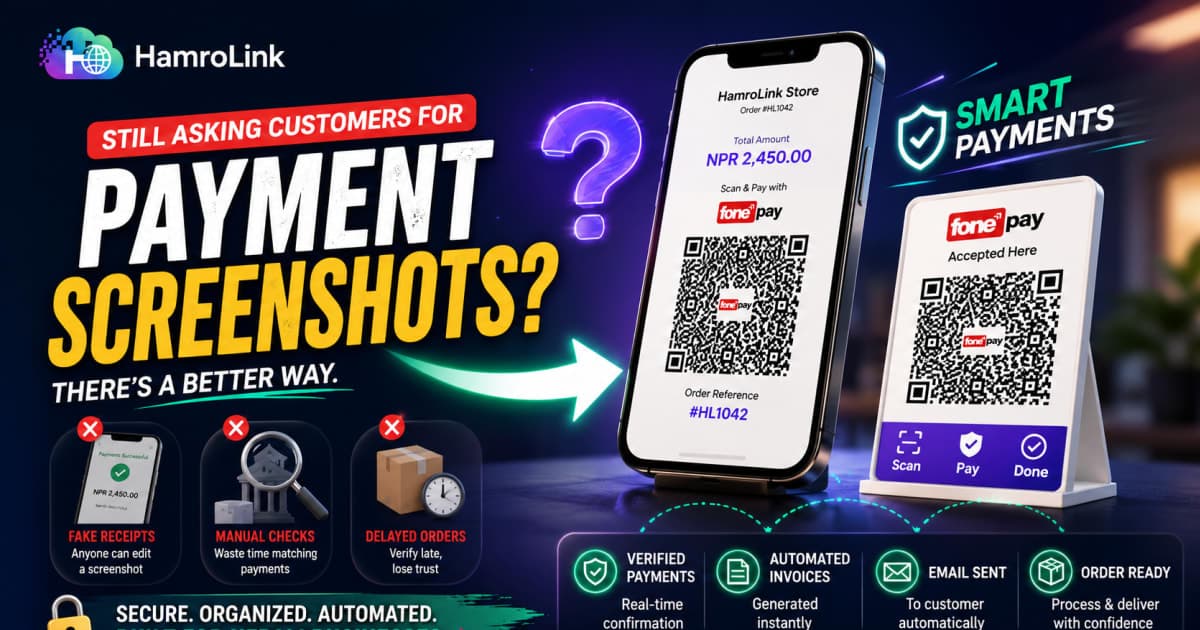
How to Accept QR Payments on Your Online Store Without Relying on Payment Screenshots
"Payment gare, screenshot pathaye."
For many Nepali online sellers, that is still how an order gets paid.
The problem is straightforward: a screenshot is evidence supplied by the customer, not confirmation from your payment system.
If you sell through Instagram, WhatsApp, or Facebook, you likely spend hours checking payment screenshots, opening mobile banking apps, matching amounts without reference numbers, and trying to determine whether an order was actually paid.
That is where understanding the difference between static QR and transaction-specific QR payments becomes essential.
Why Screenshot-Based QR Payments Create Problems
QR codes have transformed daily commerce in Nepal. From grocery counters in Kathmandu to taxi rides and restaurants in Pokhara, scanning a Fonepay, eSewa, or Khalti standee is second nature.
However, when merchants transfer this offline habit directly to digital selling—saving a QR image on their phone and sending it across social media chats—the operational process quickly breaks down:
- Manual Reconciliation Bottlenecks: Every payment requires logging into a mobile banking app, scrolling through transaction statements, and guessing which NPR 2,450 credit belongs to which customer.
- Missing Customer Context: Standard bank SMS alerts tell you an amount was credited, but they rarely include the customer's full name, item ordered, delivery address, or order number.
- Internal Staff Confusion: When multiple sales representatives manage different Messenger or WhatsApp chats, staff frequently ship orders based on customer assertions before confirming actual bank credits.
- Scattered Order History: Order details, delivery notes, and payment receipts remain trapped in private chat threads rather than a centralized business system.
What Is a Static QR Code?
A static QR code is a permanent visual representation of fixed merchant data.
Whether printed on an acrylic stand on a store counter or saved as an image file on a smartphone, the encoded data inside a static QR code never changes. It typically contains:
- The merchant's bank or wallet identifier
- The merchant account number or merchant code
- The registered business or account holder name
When a customer scans a static QR code using their mobile banking app or digital wallet:
- The app identifies the recipient.
- The customer must manually type the bill amount.
- The customer can optionally enter a remark or bill number.
Because a static QR code has no built-in connection to your website, product catalog, or inventory, it cannot automatically know what items were purchased or update an order status on its own.
What Is a Dynamic QR Code?
A dynamic (or transaction-specific) QR code is generated on demand for a specific transaction or checkout session. Under Nepal Rastra Bank (NRB) NepalQR Specifications, standardized QR payloads support encoding transaction-specific parameters directly into the QR code data payload. A dynamic QR code can contain:
- The merchant's account credentials and routing details
- The exact, locked transaction amount
- A unique order or bill reference ID
When a customer scans a dynamic QR code:
- Their mobile banking app or digital wallet automatically reads the exact bill amount.
- The amount field is locked and cannot be altered by the customer.
- The unique order reference number is embedded directly into the transaction metadata.
When a payment provider supports transaction-specific QR payments alongside server-side payment confirmation APIs or callbacks, the merchant's system can automatically reconcile the payment with the corresponding order.
Static QR vs Dynamic QR: Key Differences
| Feature | Static Merchant QR | Transaction-Specific / Dynamic QR |
|---|---|---|
| Data Encoded | Fixed merchant account and bank/wallet ID only | Merchant account + exact bill amount + unique order reference ID |
| Amount Entry | Customer enters amount manually in their banking or wallet app | Amount is pre-encoded into the transaction QR |
| Order Matching | Manual (seller matches timestamps, amounts, and buyer names) | Structured (transaction contains order reference for easier matching) |
| Verification Method | Customer-supplied screenshot or manual bank statement check | Provider-side confirmation API / callback or structured reference match |
| Fraud Vulnerability | Vulnerable to edited screenshots, fake slips, and altered amounts | Significantly reduced when amount is locked and verified server-side |
| Reusability | Same static QR image reused for all customers | Unique QR generated per transaction session |
| Primary Use Case | Physical retail counters, tea shops, in-person cashier desks | Online store checkouts, digital invoices, automated billing workflows |
Can a Customer Fake a Payment Screenshot?
Relying solely on payment screenshots creates real financial vulnerabilities for busy merchants:
1. Fake Receipt Generators & Graphic Templates
Readily available web templates and mobile apps allow bad actors to generate convincing payment confirmation slips for major Nepali mobile banking apps and digital wallets. A user enters a merchant name, an arbitrary amount, and a fake reference code to produce a realistic green "Transaction Successful" screenshot in seconds.
2. The "Missing Zero" Trick
On static QR codes, the customer types the payment amount. A customer ordering NPR 3,500 worth of goods might scan your code, enter NPR 350, and send the screenshot. In the middle of a busy workday, staff often look only at the green checkmark or merchant name while overlooking the missing zero.
3. Reused Payment Vouchers
In businesses with multiple sales representatives across different channels, an unverified customer may send an older, legitimate payment slip to a different staff member to claim a second order. A screenshot is customer-supplied evidence, not independent payment confirmation. True operational safety requires verifying payments against your actual accounts or structured order records before dispatching goods.
How Payment Verification Actually Works
To understand how online businesses protect themselves, it helps to distinguish between three levels of payment verification:
Level 1: Client-Side Evidence (Weakest)
Customer scans static QR → Enters amount → Sends screenshot → Merchant manually inspects bank app
Level 2: Structured Reference Reconciliation (Practical for SMEs)
Customer places web order → Scans QR at checkout → Enters bank transaction ID/remark → System links reference to Order ID → Merchant verifies specific record in dashboard
Level 3: Automated Server-Side Confirmation (Provider APIs & Callbacks)
Customer checkouts → Dynamic QR generated → Customer pays → Payment provider sends server callback/API confirmation → Order automatically marked PAID
When a payment provider supports transaction-specific QR payments together with server-side payment confirmation APIs or callbacks, the merchant's system can automatically reconcile the payment with the corresponding order.
What Happens After the Payment Is Verified?
Payment verification should be the beginning of the fulfillment workflow, not the end. Once a payment is confirmed, your business system can automatically trigger the subsequent operational steps:
Customer places order
        ↓
Online Checkout
        ↓
QR / Online Payment
        ↓
Payment Verification
        ↓
Order marked PAID
        ↓
Digital Sales Invoice Generated
        ↓
Customer Email Notification Sent
        ↓
Staff Dashboard Order Processing
        ↓
Shipping / Courier Hand-Off
Real-World Example:
- A customer places an order worth NPR 3,200 on your website.
- They complete the payment through your configured QR payment method.
- Once the payment is verified, the order status updates from Pending Payment to Paid.
- The system automatically generates a digital sales invoice containing your business details, customer information, purchased products, applicable taxes, payment status, and order total.
- The customer receives an automated, branded email with their order confirmation and digital invoice.
- Your fulfillment team processes the package directly from the business dashboard without searching through Messenger, WhatsApp, or personal bank statements.
What Happens When QR Payment Is Connected to an Online Store?
Moving your payment workflow from chat messages to an online store checkout structures the entire customer journey:
- Cart & Itemized Total: The customer selects products, sizes, or variants, and sees a clear, itemized order total including delivery costs.
- Structured Customer Information: The customer enters their verified phone number, delivery address, ward number, municipality, and nearest landmark.
- Clear Payment Presentation: The checkout displays the merchant's verified QR code alongside the exact order amount and reference number.
- Structured Order Creation: The system generates a distinct order record with all customer data, line items, and payment status safely stored in one place.
- No Lost Orders: Your team manages every order systematically through a dashboard, eliminating lost messages and misplaced receipts.
Fonepay, eSewa, and Khalti: What Businesses Should Know
When setting up payments in Nepal, it is important to understand the roles of the major payment networks:
- Fonepay: Nepal's largest interoperable payment network connecting over 50 commercial banks, development banks, and finance institutions. A Fonepay merchant QR allows customers to pay using their existing mobile banking application without needing a separate wallet.
- eSewa & Khalti: Nepal's leading digital wallets, widely used for online shopping, utility payments, and mobile top-ups. Both platforms provide merchant QR solutions as well as developer APIs for online checkouts.
Merchant QR vs. Developer API Gateway
- Merchant QR: Designed for quick setup. Merchants can obtain an official business QR from their bank or wallet provider to display at physical counters or upload into digital checkouts.
- Developer API Gateway: Designed for technical integrations where payment providers communicate directly with custom-built software to provide instant, automated server-to-server transaction confirmations.
Do You Need a Payment Gateway or Just a QR Code?
Many business owners confuse merchant QR codes with full payment gateways. While related, they serve different operational needs:
1. Static Merchant QR
Scan → Enter amount manually → Pay → Send screenshot → Merchant manually verifies
2. Transaction-Specific QR + Provider Confirmation
Order created → Amount/reference encoded → QR generated → Customer pays → Provider confirms → Order updated
3. Full Payment Gateway
Checkout → Redirect to gateway/wallet → Customer authenticates → Server-side webhook/API → Order = PAID
These are related, but they are not the same thing.
For most growing small businesses in Nepal, you do not need an expensive custom-coded payment gateway to get started. Placing your verified business QR code inside a structured online checkout gives you 90% of the operational benefits—clear order tracking, complete customer delivery details, and organized records—without high setup costs.
How HamroLink Helps Businesses Organize QR Payments, Orders, and Invoices
For small businesses, the primary challenge is rarely just accepting money—it is keeping the entire order and fulfillment process organized. HamroLink provides the operational and commerce layer that connects your storefront, customer orders, payment workflows, and digital invoicing into a unified system. Instead of sending QR screenshots in social media chats, HamroLink structures the entire process:
- Merchant QR Upload: If you already have a verified merchant QR code from Fonepay, eSewa, or Khalti, you can upload it directly into your HamroLink checkout settings.
- Structured Checkout Experience: Customers add products to their cart, enter accurate delivery details, view their exact bill total, and scan your official QR code directly on the checkout page.
- Centralized Order Records: Every purchase generates an individual order entry with customer contact details, delivery addresses, and payment statuses stored in your dashboard.
- Automatic Digital Invoicing: Once an order reaches verified status, HamroLink automatically generates a clean digital sales invoice with itemized line items and tax breakdowns.
- Branded Customer Notifications: Customers automatically receive branded email receipts and order confirmations.
- Unified Fulfillment Management: Your team processes orders, tracks fulfillment stages (Pending Payment, Paid, Processing, Dispatched), and manages customer records from one dashboard.
For businesses that later expand and require fully automated server-side payment confirmation, HamroLink serves as the scalable commerce and order-management foundation.
When Should You Upgrade to Automated Payment Verification?
| Stage | Daily Volume | Recommended Payment Setup |
|---|---|---|
| Starting Out | 1–15 orders/day | Structured online checkout with uploaded merchant QR and dashboard verification |
| Growing Brand | 15–50 orders/day | Structured checkout, digital invoices, and standardized order reference tracking |
| High-Volume / Digital Goods | 50+ orders/day or instant digital delivery | Integrated payment gateway with automated server-side API callbacks |
7 Steps to Move From Messenger Orders to an Online Checkout
- Set Up Your Online Catalog: Create your product pages with clear pricing, variant options, and sizing guides.
- Upload Your Verified Merchant QR: Add your official Fonepay, eSewa, or Khalti QR code into your store checkout.
- Connect a Custom Domain: Establish trust by linking your .com.np or .com brand domain.
- Direct Traffic to Your Checkout: Place your store link in your Instagram bio, TikTok profile, and social advertisements.
- Capture Complete Delivery Details: Require customers to provide ward numbers, municipalities, and landmarks during checkout.
- Enable Digital Invoicing: Automatically generate invoices and send confirmation emails for confirmed purchases.
- Manage Orders Centrally: Fulfill orders and track customer history through a single dashboard instead of scattered chat messages.
Build a Proper Online Checkout for Your Business
Stop taking orders through screenshots and scattered chat threads. Explore how HamroLink helps Nepali businesses build modern online storefronts, accept local payments, and streamline customer management:
- Explore Online Store Solutions
- Learn About QR Payment Features
- Discover E-Commerce Capabilities
- Automate Digital Invoicing
- View Transparent Pricing Plans
Get started with HamroLink today to create a structured checkout and professional shopping experience for your customers.
Sources
- Nepal Rastra Bank (NRB) — NepalQR Specifications and Guidelines
- Fonepay — Merchant Network & Digital Payment Solutions
- eSewa — Merchant Portal & Online Payment Services
- Khalti — Merchant Solutions & Payment Gateway Documentation
- Inland Revenue Department (IRD) Nepal — Digital Billing & Electronic Fiscal Guidelines
Comments
Be the first to leave a comment.