The Modern Landscape of Website Creation in Nepal
A decade ago, launching a business website in Nepal was an agonizing, expensive ordeal. A business owner had to hire a specialized software agency in Kathmandu, negotiate opaque contracts, endure four months of development delays, pay tens of thousands of rupees for custom coding, and struggle with clumsy cPanel servers that crashed whenever traffic spiked.
In 2026, the technological paradigm has completely transformed. High-speed cloud edge networks, localized multi-agent AI compilers, and automated digital payment integrations have democratized web development. Today, a boutique owner in Pokhara, a handicraft exporter in Bhaktapur, or an education consultancy in Putalisadak can design, configure, and launch a production-grade, bilingual digital storefront in under an hour—without writing a single line of code or hiring an external agency.
However, having accessible tools does not guarantee business success. A website built without clear information architecture, mobile optimization, or localized payment hooks will languish as an abandoned digital brochure.
This master 2026 guide provides an exhaustive, 7-step blueprint for building a high-converting business website in Nepal. Whether you are launching an e-commerce catalog, a professional service portal, or a local company profile, follow this battle-tested execution checklist to go live with confidence.
The 7-Step Website Creation Lifecycle
┌────────────────────────────────────────────────────────────────────────┐
│                   THE 7-PHASE NEPALI WEBSITE LAUNCH BLUEPRINT          │
│                                                                        │
│  Phase 1: Define Intent & Core Conversion Goal                         │
│  Phase 2: Secure Your Free .com.np or Commercial .com Domain           │
│  Phase 3: Wireframe the 5 Core Pages for Nepali Consumer Habits       │
│  Phase 4: Build Responsive Mobile Layouts & Fast Media Assets          │
│  Phase 5: Integrate Local Payment Gateways (eSewa, Khalti, Fonepay)   │
│  Phase 6: Technical Local SEO & Google Search Console Verification     │
│  Phase 7: Pre-Launch Quality Assurance & Conversion Stress-Testing     │
└────────────────────────────────────────────────────────────────────────┘
Phase 1: Define Your Primary Conversion Goal
Before selecting colors, writing text, or taking product photographs, clarify the single most critical action you want a visitor to take on your website:
- Direct E-Commerce Transactions: The customer browses products, adds items to their digital cart, and completes payment via eSewa, Khalti, or Fonepay QR (Ideal for clothing boutiques, electronics shops, cosmetics, and organic foods).
- High-Intent Lead Inquiries: The visitor submits their contact details and specific requirements through a qualified multi-step form (Ideal for education consultancies, law firms, real estate agencies, and chartered accountants).
- Instant Table or Appointment Bookings: The customer selects a time slot and reserves a table or clinic consultation (Ideal for restaurants, dental clinics, and wellness spas).
- Direct WhatsApp Conversations: The visitor taps a sticky floating chat widget to speak directly with your sales team in Romanized Nepali or English.
Every heading, button, and image on your website must serve this primary conversion goal. Avoid cluttering your homepage with competing, unfocused calls-to-action.
Phase 2: Domain Strategy (.com.np vs .com)
Your web address is your permanent digital address. In Nepal, you have two primary options:
Option A: The Free Official National Domain (.com.np)
- Cost: 100% free of registration and renewal charges forever.
- Provider: Administered by Mercantile Communications.
- Requirements: Your Nepali Citizenship Certificate (for personal sites) or PAN/Company Registration Certificate (for businesses) plus a signed formal application cover letter.
- Strategic Value: Signals strong national trust, high authority for local search engine algorithms inside Nepal, and zero recurring foreign currency expenses.
Option B: The Commercial Global Domain (.com)
- Cost: Approximately NPR 1,800 to NPR 2,600 per year through local registrars or $12 to $16 via international platforms.
- Requirements: No legal paperwork required; available on a first-come, first-served basis.
- Strategic Value: Essential if your brand exports goods internationally (such as pashmina, organic tea, or trekking packages) or targets the global Nepali diaspora in the US, Australia, the UK, and the Gulf.
Phase 3: Wireframing the 5 Essential Pages
Nepali consumers browse web pages with specific behavioral patterns: they demand immediate visual proof of legitimacy, transparent pricing in NPR, and clear contact channels. Structure your site around these five essential pages:
1. The Homepage (Hero & Trust Anchor)
- Clear Value Proposition Above the Fold: State what you sell, who you serve, and your unique differentiator within 3 seconds (e.g., "Handmade Cashmere Sweaters Crafted in Kathmandu • 24-Hour Valley Delivery • Free Returns").
- Social Proof Strip: Display client logos, association memberships (ECAN, FNCCI), or customer review badges immediately below the hero section.
- Featured Products / Service Highlights: Display your top 4 to 8 offerings with transparent prices in NPR and direct action buttons.
2. The Products / Services Catalog Page
- High-Resolution, Fast-Loading Imagery: Show multiple angles of physical products with image zoom capabilities.
- Transparent Specifications: Clear sizing charts, ingredient lists, or service deliverables. Hiding prices and demanding "DM for price" alienates 70% of serious buyers.
- Inventory & Variant Selectors: Allow customers to choose sizes (S, M, L, XL) or colors with real-time stock status.
3. The About Us & Authenticity Page
In an online market plagued by anonymous fly-by-night social media pages, an authentic About page establishes profound trust:
- Show photographs of your physical storefront, workshop, or team members.
- State your official business registration details, municipal ward location, and Inland Revenue Department (IRD) PAN number.
- Share your founding story and brand philosophy in conversational, human language.
4. The Booking / Inquiry / Checkout Page
- Frictionless Mobile Forms: Keep form fields to the absolute minimum. Ask only for essential details (Name, WhatsApp Mobile Number, Delivery Address).
- Transparent Shipping Calculations: Display delivery fees clearly before payment (e.g., NPR 100 inside Kathmandu Valley, NPR 200 outside valley).
5. Legal Policies & Consumer Protection
Comply with Nepal's Consumer Protection Act and build credibility by including:
- Return & Refund Policy: Clear terms explaining how returns, size exchanges, or damaged goods are handled within 7 days.
- Privacy Policy: Reassuring buyers that their phone numbers and personal data are never sold or shared.
- Terms of Service: Stating payment methods, courier timelines, and dispute resolution guidelines.
Phase 4: Mobile-First Responsive Design & Asset Optimization
Over 80% of your website traffic in Nepal will originate from mobile devices connected to cellular 4G networks. If your website is not engineered for mobile constraints, your business will fail:
- Touch Target Dimensions: Ensure all buttons, links, and form inputs are at least 48 pixels tall by 48 pixels wide, with generous spacing to prevent accidental mis-taps.
- Next-Gen Image Formats (WebP): Convert heavy JPEG and PNG files into modern WebP format. A 3 MB camera photo compressed to an 85 KB WebP file looks visually identical while loading twenty times faster on 4G.
- Fluid Typography: Configure responsive font sizes using rem units so text scales harmoniously across 360px budget Android phones, modern iPhones, and large desktop screens without awkward horizontal line wrapping.
Phase 5: Payment Gateway Integration: eSewa, Khalti, and Fonepay
An online store that cannot accept automated digital payments forces your staff into tedious manual bank statement verifications. Configure a multi-tier payment architecture:
| Payment Method | Settlement Speed | Best For | Customer Experience |
|---|---|---|---|
| Fonepay Dynamic QR | Instant (800ms webhook) | All Nepali bank & wallet apps | 1-tap scan with auto-populated amount & invoice ref |
| eSewa Merchant Gateway | Real-time wallet debit | Over 7 million eSewa account holders | Seamless login & instant OTP confirmation |
| Khalti Payment Gateway | Real-time wallet/ebanking | Tech-savvy mobile consumers | Fast checkout with cashback & Khalti points |
| Cash on Delivery (COD) | Courier settlement (3 – 7 days) | Cautious first-time buyers | Requires phone/WhatsApp verification before dispatch |
On HamroLink, these payment gateways are natively pre-integrated. You simply enter your merchant credentials or Fonepay terminal ID to activate instant automated checkouts with 0% platform transaction fees.
Phase 6: Technical Local SEO & Search Engine Indexing
Launching your website is only half the battle; you must ensure potential customers discover it on Google:
- Verify Google Search Console: Create an account on Google Search Console, upload your domain verification TXT record, and submit your automated XML sitemap (
https://yourbrand.com.np/sitemap.xml). - Semantic Meta Titles & Descriptions: Ensure every page has a unique title tag under 60 characters and a compelling meta description under 155 characters that includes your core service and city (e.g., "Boutique Women's Clothing in Kathmandu | Traditional & Modern Wear").
- OpenGraph Social Preview Tags: Configure OpenGraph tags so when your link is shared on Facebook, WhatsApp, or Viber, it renders a crisp branded preview image, title, and description rather than a generic broken link.
Phase 7: Pre-Launch Quality Assurance Checklist
Before announcing your website to the public or launching paid advertising campaigns, perform this thorough quality audit:
- Mobile Responsiveness: Test every page on both an iPhone and an Android smartphone over cellular 4G data.
- End-to-End Test Transaction: Place a live order of NPR 10 using eSewa or Fonepay QR to confirm that the webhook succeeds and marks the order as "Paid".
- Form Submissions: Fill out your contact and booking forms to ensure lead notification emails and WhatsApp alerts arrive instantly.
- 404 Error Handling: Verify that invalid URLs display a helpful custom 404 page guiding visitors back to your homepage.
- SSL Security Lock: Confirm that your domain enforces HTTPS with a valid TLS certificate and zero mixed-content browser warnings.
Launch Your Production-Ready Website with HamroLink
You no longer need to spend months negotiating with web design agencies, paying tens of thousands of rupees upfront, or wrestling with technical server maintenance.
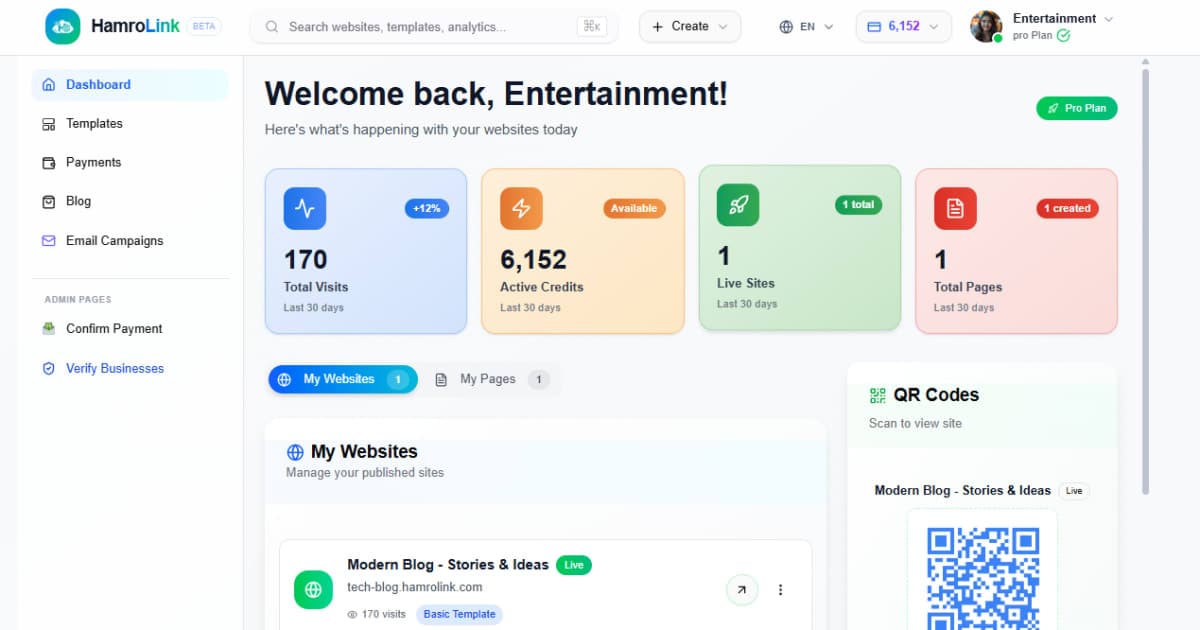
HamroLink provides an all-in-one business operating system engineered specifically for Nepal's economic and technological environment:
- Instant AI Website Generation: Launch a customized, mobile-first website tailored to your industry in under five minutes.
- Built-in Local Payments: Accept eSewa, Khalti, and Fonepay Dynamic QR out-of-the-box with zero platform commission.
- Transparent Local Pricing: Affordable plans starting from रु 199/month (Starter) and रु 399/month (Business), billed locally in Nepali Rupees with zero USD card requirements.
Explore our pricing packages, read our domain registration handbook, or create your free website today.
Comments
Be the first to leave a comment.