A parent in Kathmandu is searching for an educational consultancy. A tourist in Pokhara wants a restaurant recommendation. A student in Chitwan is looking for an IELTS preparation center.
They open Google Maps.
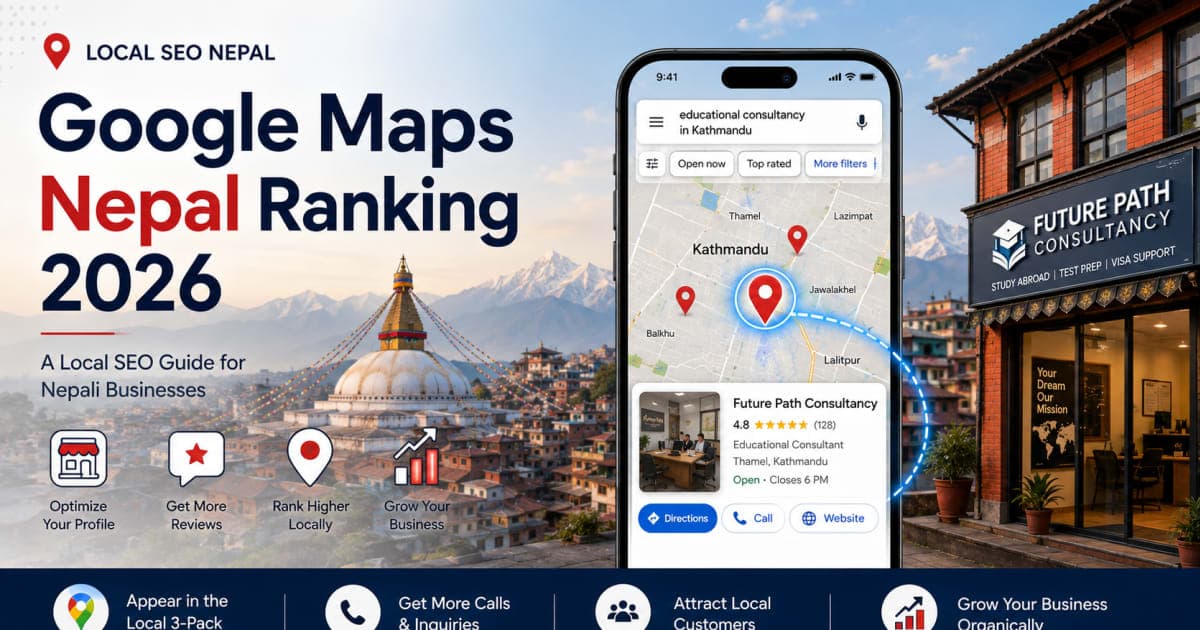
When they search, Google displays the Local 3-Pack—the map with three business listings, each showing phone numbers, directions, reviews, and website links. If your business is in that pack, you get calls, foot traffic, and inquiries without paying for ads. If you are not there, those customers go to your competitors.
This guide walks through what actually moves the needle for Google Maps rankings in Nepal: GBP setup, NAP consistency, reviews, citations, website optimization, and competitor analysis. No filler. Each section ends with an action step.
How the Local Ranking Algorithm Works
Google's public documentation states that local search results are primarily based on three factors:
Relevance. How closely your business profile matches the search query. A search for "Toyota car repair in Lalitpur" returns businesses categorized as auto repair shops with service descriptions that mention car servicing—not a spare parts retailer.
Distance. How close your physical location is to the searcher. You cannot control where someone stands, but accurate map pin placement and a complete address tell Google exactly where you operate.
Prominence. How well-known your business appears across the web. Google looks at signals like review volume, average star rating, directory references, and website authority to gauge this.
These factors work together. Strong relevance alone does not guarantee a top position when competing businesses have stronger prominence or are closer to the searcher.
Google Business Profile Setup
Your Google Business Profile is one of the most important assets for local SEO. Setting it up correctly helps you avoid common profile-quality and verification problems.
Business name. Enter your registered business name exactly as it appears on your storefront sign. Do not add keywords to the title. "Apex Dental Care — Best Cheap Dentist in Kathmandu Clinic" can lead to a suspension or profile issue. Use "Apex Dental Care."
Primary category. Choose the most specific category available. "Educational Consultant" outperforms "Consultant." "Skin Care Clinic" outperforms "Doctor." Add secondary categories for complementary services—for example, a consultancy might add "Language School" and "Visa Consultant."
Address format. Nepalese addresses can be difficult to describe precisely, so include as much detail as possible. Use this format:
Ward No. [X], [Tole/Street Name]
[Landmark Reference]
[Municipality], [District], Nepal
Example:
Ward No. 4, Gairidhara Road
Opposite Sunrise Bank, Near Japanese Embassy
Kathmandu Metropolitan City, Kathmandu, Nepal
Drag the map pin to your building rooftop. Do not leave it on a main road.
Verification. Google requires proof of physical presence. Video verification is often the quickest option where it is available. Record a continuous video that clearly shows:
- The street name or landmark visible from outside
- Your storefront signboard
- A shot of the interior that confirms your business operates there (for example, unlocking the office door or standing at the billing counter)
Include nearby landmarks to help the verification team confirm your location. If Google requires postcard verification, allow several weeks for delivery via Nepal Post and check your mail daily during that period.
NAP Consistency: Name, Address, Phone
Google cross-checks your business information across platforms. Inconsistent information can make it harder for Google and customers to identify the correct business information.
Check these platforms for consistency:
- Google Business Profile
- Website footer (every page)
- Facebook Page About section
- Instagram bio
- PAN/VAT registration documents
- Nepal Business Directory, Yellow Pages Nepal, and other directories
Pick one primary phone number and use it everywhere. Do not use "01-4..." on one platform and "985..." on another.
Action step: Open each platform in separate browser tabs. Compare the three fields—name, address, phone—side by side. Fix mismatches immediately.
Reviews: The Ranking Multiplier
Google explicitly states that positive reviews and good ratings can help your local ranking. Beyond the algorithm, reviews build trust with potential customers who are deciding between you and a competitor.
Generate your direct review link. Find this inside your GBP dashboard. It takes customers straight to the review form.
Print a QR code. Place a small stand at your reception desk or billing counter. Text on the stand: "Scan to share your experience on Google." Ask genuine customers to leave an honest review while the experience is still fresh.
Send a WhatsApp follow-up. Twenty-four hours after a service, send this message:
"Thank you for visiting [Business Name]. If you were satisfied with our service, we would appreciate a quick Google review. It helps our local team serve more customers: [Link]"
In Nepali:
"[Business Name] मा आउनुभएकोमा धन्यवाद। हाम्रो सेवामा तपाईं सन्तुष्ट हुनुहुन्छ भने, कृपया Google मा छोटो समीक्षा छोडिदिनुहोस्। यसले हाम्रो स्थानीय टोलीलाई सहयोग पुर्याउँछ: [Link]"
Respond to reviews consistently and as promptly as possible. For positive reviews, thank the customer and mention your service or location. For negative reviews, acknowledge the feedback and offer to resolve the issue offline.
Consistency matters. A sudden spike of dozens of reviews in a single day can look suspicious to both Google and customers. Build a steady, genuine process around your real customer interactions—ask genuine customers naturally over time.
Action step: Set a weekly reminder to request reviews from recent visitors. On Friday afternoon, send two or three WhatsApp messages to genuine customers you served that week.
Your Website as a Ranking Signal (and How to Execute It)
Having a well-structured website gives Google and potential customers more information about your services, locations, and expertise. This complements your Business Profile and helps you compete for relevant organic searches beyond just the map listing.
Location landing pages. If you operate in multiple cities, create a separate page for each genuine location:
yourbusiness.com/kathmanduyourbusiness.com/pokharayourbusiness.com/chitwan
Warning: Only create location pages for places where you genuinely operate or serve customers. Each page should contain unique, useful information (local photos, staff names, embedded map) rather than simply swapping the city name. Doorway pages that offer no unique value violate Google's quality guidelines.
Mobile speed. Most customers will encounter your business from a phone, often on mobile data. Test your website on a real mobile connection before publishing it. A site that loads quickly keeps visitors; a slow one drives them back to the search results. Compress images to under 200KB and use a lightweight theme.
Local schema. Add LocalBusiness structured data to your website. Include your name, address, phone number, geo-coordinates, and opening hours. Google's documentation supports using specific subtypes (e.g., Dentist, Restaurant) to help them understand your business details more clearly.
.com.np domain. A .com.np domain makes your Nepal-focused identity clear to users and reinforces your local branding. While you shouldn't treat the domain extension itself as a guaranteed ranking trigger, it builds trust with Nepali customers and clearly signals your geographic focus.
Here is the practical challenge: Building a site that meets these criteria—mobile-first design, compressed images, location-based landing pages, schema markup, and a .com.np domain—usually requires hiring a developer or wrestling with complex hosting setups.
This is exactly why HamroLink exists. Instead of treating it as a separate sales pitch, think of it as the pre-built technical foundation that handles many of the technical pieces in this section. HamroLink is designed for Nepali businesses that want a search-optimized website without the technical headache:
- A speed-optimized architecture built for local networks.
- Pre-built location landing pages with Google Maps already embedded.
- Free
.com.npdomain integration without the paperwork hassle. - Built-in
LocalBusinessschema added automatically to business pages. - WhatsApp chat buttons and lead capture forms to convert map traffic into inquiries.
For a straightforward business site, it can reduce the website setup to an afternoon of adding your photos, business hours, and service descriptions—leaving you free to focus on reviews, citations, and customers.
Action step: Open your website on a phone with mobile data. Count how many seconds it takes for the page to become usable. If the page feels slow—or if you do not have a website yet—look for a lightweight platform like HamroLink to handle the technical pieces.
Local Citations: Directories That Matter
Local citations are mentions of your business name, address, and phone on other websites. They help confirm to Google that your business is real and locally established.
Instead of a generic list, think of citations in tiers:
Essential (start here):
- Google Business Profile (the most important)
- Facebook Business Page (high authority and user traffic)
- Your own website (the primary source of truth)
Useful for Nepal (depending on your industry):
- Yellow Pages Nepal
- NepalYP
- Hamro Patro Business Directory
- Hamrobazaar / MeroMarket (especially for retail and services)
- Industry-specific directories (e.g., travel, education, healthcare, real estate)
Avoid:
- Low-quality directories that exist only to generate backlinks. If a directory looks spammy or has no real user traffic, it is unlikely to provide meaningful SEO value and can associate your business with low-quality sites.
Use the exact same name, address, and phone number across every platform. Inconsistency—even a missing ward number—hurts Google's confidence in your data.
Action step: Complete your essential profiles first. Then, this week, submit to 3–5 Nepal-specific directories relevant to your business. Copy your GBP address and paste it directly to avoid typos.
Competitor Analysis
Most Nepali businesses do not audit their competitors. This is an opportunity.
Find your top three competitors. Search your primary service + your city on Google Maps. For example, "educational consultancy Kathmandu." Note the businesses in the Local 3-Pack.
Tip: Search from multiple locations. Google Maps results are heavily influenced by distance, so one search from central Kathmandu doesn't necessarily represent what someone sees from the outskirts. Check from a few different spots to get a clearer picture.
Audit each competitor. Document:
- Number of reviews
- Average star rating
- Primary category
- Secondary categories
- Number of photos uploaded
- How often they post updates
- Website quality (load speed, mobile responsiveness)
- Whether they respond to reviews
Identify your gaps.
- Fewer reviews than competitors? Start a review campaign.
- Fewer photos? Upload images of your storefront, interior, team, and products.
- Slower website? Optimize mobile speed (or consider a platform like HamroLink).
- Fewer categories? Add relevant secondary categories.
Exploit their weaknesses. If competitors have a hundred reviews but never respond, responding to every review becomes your advantage. If their website loads slowly, a fast mobile site becomes your edge.
Action step: Complete the competitor audit table this week. Prioritize the gap where you are farthest behind.
What to Expect (Timeline)
Local SEO takes time, and the pace depends heavily on your location, competition, and starting authority. Rather than promising fixed weeks, here is a realistic progression:
Short-term (weeks 1–4): GBP claimed and verified. Profile fully optimized. Citations submitted to essential directories. Website fundamentals (mobile speed, schema, location pages) put in place.
Mid-term (months 1–3): Reviews start accumulating. Citations get indexed by Google. You may begin to see movement in the Map Pack, especially for less competitive niches or smaller cities like Butwal, Dharan, or Chitwan.
Long-term (months 3–6 and beyond): With consistent reviews, regular GBP updates, and a steady flow of customer interactions, your prominence grows. For competitive industries in Kathmandu, this takes sustained effort. For smaller cities, a well-executed strategy can yield results noticeably faster.
The key is consistency. Local SEO is not a one-time setup—it is an ongoing process of building trust and visibility.
Checklist
- GBP claimed and verified
- Business name uses exact legal/brand name (no keywords)
- Primary category matches core service
- Address includes ward number, tole, landmark
- Map pin placed on building rooftop
- Operating hours and contact numbers updated
- At least 10 high-resolution photos uploaded
- NAP consistent across GBP, website, social media, directories
- QR code or review request system in place
- Website is mobile-friendly and fast
-
LocalBusinessstructured data implemented where appropriate -
.com.npdomain considered for Nepal-focused branding (optional but recommended) - Citations submitted to top essential and relevant directories
- Competitor audit completed
Next Steps
Open Google Maps and search for your business. If you are not in the top three results, pick one section from this guide and act on it this week.
Start with GBP verification if that is incomplete. Then move to reviews. Then citations.
For the website component, you have two choices: hire a developer to build a custom, speed-optimized site—or use HamroLink to get the technical foundation done in an afternoon. The rest of the work—reviews, citations, competitor research—is entirely up to you and your team.
Start with what is broken. Fix that first. Then move to the next.
Sources & References
This guide is grounded in Google's official public documentation:
-
Google Business Profile Help – Local Ranking Factors:
Tips to improve your local ranking on Google – explicitly outlines Relevance, Distance, and Prominence. -
Google Search Central – LocalBusiness Structured Data:
Local Business (LocalBusiness) Structured Data – documentation on implementing schema markup. -
Google Business Profile Help – Verification:
Verify your business on Google – outlines video, postcard, and phone verification methods.
Comments
Be the first to leave a comment.